IRON NEST: Heavy Turret Simulator IRON NEST Demo Guide
Download, mission overview, and an efficient practice loop.
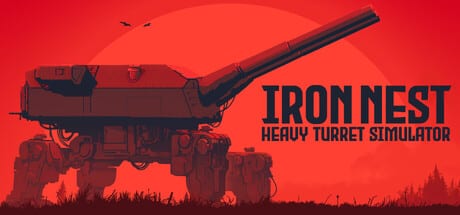
If you are unsure whether a heavy turret simulator fits your taste, the free IRON NEST demo answers that question in under two hours. It launched during Steam Next Fest and remains downloadable after the August 6, 2026 full release — useful for practice, sharing with friends, or verifying the loop before buying during the intro sale. You get the same core instruments — teleprinter, tactical map, ballistic calculator, and manual gun controls — across six operations.
This guide covers where to download the demo, what content it includes, and how to practice efficiently whether you own the full game or not. For mission-by-mission detail, read the Demo Operations walkthrough. Purchased owners should also read Campaign Start and version 1.0 for full-game changes.
Where to download the demo
Open the IRON NEST Steam page and click Download Demo on the right side of the store listing. The demo is free and does not require owning the full game. It also appears as a separate demo listing linked from the main page during promotional events.
Install through the Steam client as you would any title. Storage requirements are modest compared to modern AAA releases because the demo includes a slice of missions and assets rather than the full campaign arc across alternate-history Spain.
What the demo includes
The demo is designed to teach the complete firing procedure, not a stripped-down arcade mode. You receive real teleprinter orders, measure on the full tactical map workstation, solve ballistics on the calculator, load shells manually, and confirm hits through aerial reconnaissance photos.
The demo runs six operations in campaign order: four tutorials (Calibration Fire, Fire & Light, Liberation, Counter-battery), the Chill sandbox, and the timed Challenge: FDC score attack. Operation one teaches grid calibration without spotter pressure; operations two through four add triangulation, requisition, and counter-battery duels. See the Demo Operations guide for briefing notes on each mission.
You do not get the entire shell arsenal or every campaign region, but the nine-round rack philosophy and charge selection rules match the full game. Swap shell types in the demo to feel how high-explosive, armor-piercing, and smoke behave at different ranges.
The demo practice loop
Run this sequence every session until it feels automatic, then follow the First Firing Solution walkthrough mission by mission inside the demo.
Pass 1 —Slow and labeled. Read each teleprinter line aloud. Name the step before you perform it: measure, calculate, load, lay, fire. Use the Map Measurement guide if bearing or range confuse you on the first attempt.
Pass 2 —Deliberate miss and correct. Fire short on purpose. Open the recon photo and practice adjusting range or elevation to walk the next round onto the aim point. The Artillery Corrections guide explains how star shells and impact reading speed this up in later missions.
Pass 3 —Shell variety. Engage the same target type with different rounds. Notice how armor-piercing behaves against hardened emplacements versus high-explosive against soft targets. When you chamber the wrong shell, you waste a turn —better to learn that in the demo than in a timed campaign mission.
Pass 4 —Speed without sloppiness. Once the checklist is memorized, push your pace. The full game’s challenge modes reward operators who trust the procedure and execute it quickly. Deepen calculator fluency with the Ballistic Calculator guide between timed attempts.
What the demo does not include
Demo progress typically does not carry into the purchased full game unless the developers announce otherwise. Treat every demo hour as skill training, not campaign advancement. Counter-battery pressure is in the demo — operations four and six — but the full campaign adds more theaters, shell types, and two challenge modes beyond Challenge: FDC.
Radio traffic beyond basic mission orders may be limited in the demo build. Full release adds richer channels where calibration reveals High Command directives and frontline spotter calls you were not meant to overhear.
After the demo
If the deliberate rhythm clicks — read, measure, calculate, load, fire, assess — purchase the full game on Steam, GOG, or Epic or during the 25% intro offer through August 20, 2026 on Steam. Read Campaign Start for day-one priorities and launch reception for review context.
If the demo feels too slow or too procedural, the full campaign doubles down on the same instruments rather than adding action-game shortcuts. Knowing that early saves time and money — see game review.
Demo troubleshooting
Teleprinter prints garbled text. Recalibrate before trusting coordinates. See Teleprinter & Intel for the calibration routine.
Clipboard range does not match the map line. Redraw the measure tool line from your turret icon to the target grid intersection. Snap errors are the most common demo mistake.
Calculator shows no elevation solution. Confirm you entered range from the map, selected a valid powder charge bracket, and chose a shell type loaded on the rack.
Frequently Asked Questions
Quick answers to the most common questions.
Is the IRON NEST demo free on Steam?
Yes. Click Download Demo on the game's Steam store page. No purchase is required.
Does demo progress carry into the full game?
Demos are usually self-contained. Treat the demo as training for the firing loop rather than a head start on campaign saves unless the developers announce save transfer.
How many missions are in the demo?
Six operations: four tutorials (Calibration Fire through Counter-battery), Chill sandbox, and Challenge: FDC. See the Demo Operations guide for order and teaching goals.
How long does the demo take to complete?
A first slow playthrough of all six operations takes roughly two to four hours. Efficient replays for practice can run shorter once you know the loop.
Are demo controls the same as the full game?
Yes. Teleprinter, map table, ballistic calculator, traverse, elevation, and loading sequences match the release build.
Should I finish the demo before reading other guides?
Read the First Firing Solution walkthrough alongside your first demo session. Other guides deepen individual systems once the basic loop makes sense.